> ## Documentation Index
> Fetch the complete documentation index at: https://docs.withrealm.com/llms.txt
> Use this file to discover all available pages before exploring further.
# Overview of Search
> Find documents and information across all connected sources
## What is Search?
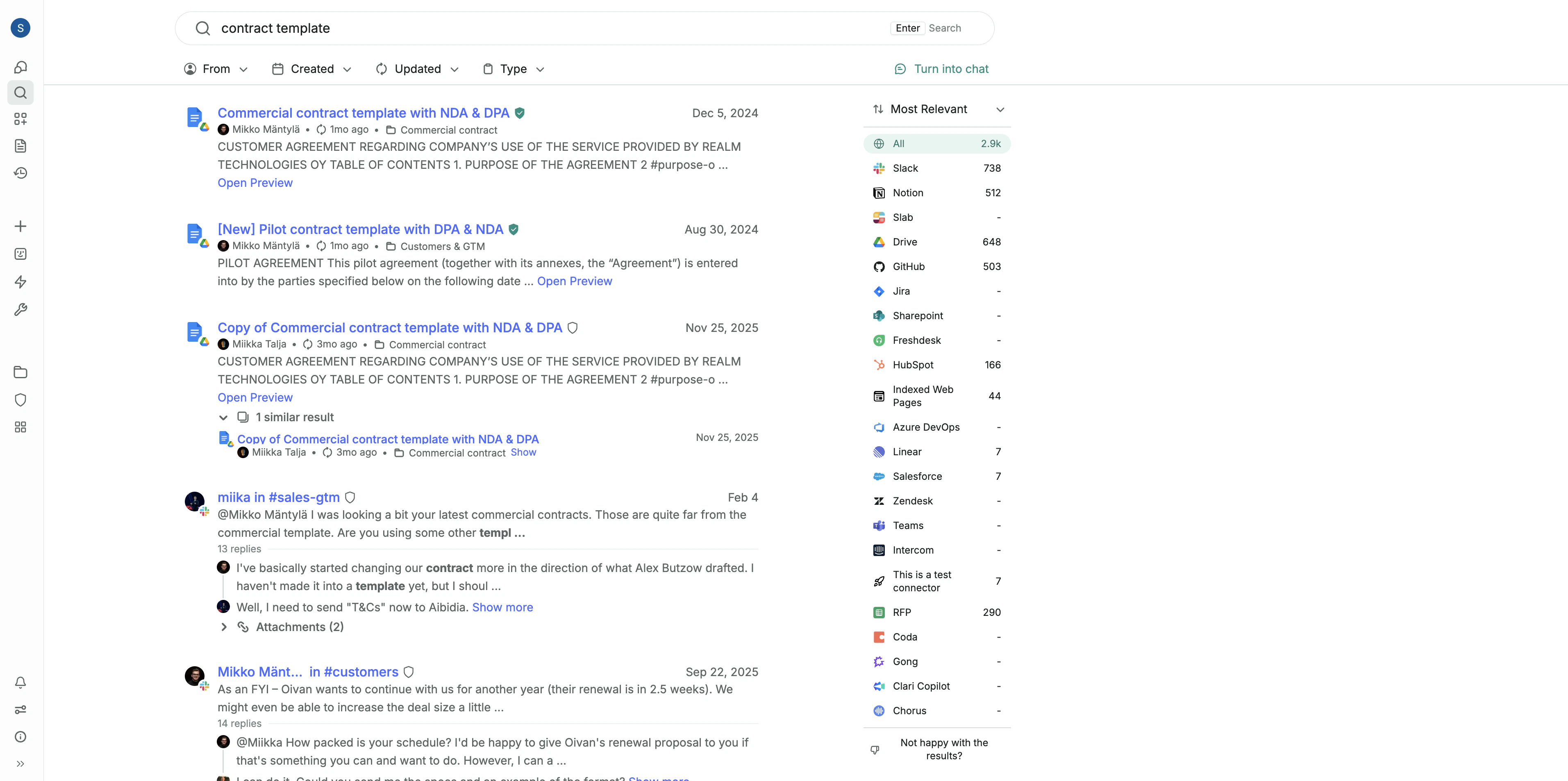 Realm includes an enterprise search engine that works across all connected platforms, making it easy to find files across documents, presentations, and messages.
## When to use Search vs. Chat
| Use Search to... | Use Chat to... |
| --------------------------------------------------------- | ---------------------------------------------------- |
| Find a specific file you want to open quickly. | Get an answer to a question. |
| Locate a document when you don't remember its exact name. | Generate a deliverable like an email or report. |
| Scroll through every mention of a customer or topic. | Ask follow-up questions to explore a topic in depth. |
## How Search works
* **Keyword matching**: Traditional keyword search finds exact matches in your documents.
* **Semantic matching**: Understands the meaning of your query, even when you don't remember the exact words.
* **Relevance signals**: Results are ranked by signals like freshness, how often a document has been shared, and its verification status.
Realm includes an enterprise search engine that works across all connected platforms, making it easy to find files across documents, presentations, and messages.
## When to use Search vs. Chat
| Use Search to... | Use Chat to... |
| --------------------------------------------------------- | ---------------------------------------------------- |
| Find a specific file you want to open quickly. | Get an answer to a question. |
| Locate a document when you don't remember its exact name. | Generate a deliverable like an email or report. |
| Scroll through every mention of a customer or topic. | Ask follow-up questions to explore a topic in depth. |
## How Search works
* **Keyword matching**: Traditional keyword search finds exact matches in your documents.
* **Semantic matching**: Understands the meaning of your query, even when you don't remember the exact words.
* **Relevance signals**: Results are ranked by signals like freshness, how often a document has been shared, and its verification status.